

Description
Download BFL Connect – mobile banking, secure banking, financial management, BFL Connect, Banque Franco-Lao Ltd.
Overview
BFL Connect is a mobile banking application designed for Android users, developed by Banque Franco-Lao Ltd. The app serves as a digital gateway to manage personal and business banking activities directly from a smartphone. It enables users to perform essential financial tasks such as checking account balances, reviewing transaction history, and initiating transfers—both within BFL and to external domestic or international accounts. The application also supports beneficiary management, allowing users to add, edit, or remove recipients for future transactions. Additionally, it provides access to information about BFL service centers and ATM networks, enhancing user convenience and accessibility. The app is tailored for individuals and professionals who require reliable, on-the-go access to their banking services. It is especially beneficial for customers of Banque Franco-Lao Ltd. seeking a secure and efficient alternative to traditional branch visits. The developer did not provide additional system requirements or performance benchmarks. Real-world usage scenarios include daily balance checks, urgent fund transfers, and remote financial planning. The app’s design emphasizes simplicity and usability, aligning with modern expectations for mobile banking tools.
Key Features & Capabilities
- Account Balance Access – View real-time account balances across multiple accounts, enabling users to monitor financial health instantly.
- Transaction History – Review detailed transaction records with filters for date, amount, and transaction type for better financial tracking.
- Transfer Functionality – Initiate intra-BFL, domestic, and international transfers with supported currencies and routing details.
- Beneficiary Management – Add, update, or delete beneficiaries securely, with support for recurring transfers and pre-registered recipients.
- Service Center & ATM Locator – Access a map-based or list-based directory of BFL branches and ATMs for convenient in-person access.
- Personal Banker Contact – Connect directly with a dedicated personal banker via the app for assistance with financial inquiries or account issues.
- Secure Login & Encryption – Utilize multi-factor authentication and end-to-end encryption to protect user credentials and transaction data.
These features are designed to streamline financial management by reducing the need for physical branch visits. For example, a user can verify a recent transaction, schedule a transfer to a family member abroad, and confirm the nearest ATM—all within minutes. The app’s integration with Banque Franco-Lao Ltd.’s core banking systems ensures data consistency and reliability. While no specific performance metrics were provided, the app’s lightweight design suggests efficient operation on standard Android devices. The developer did not specify whether offline access or biometric login is supported.
User Interface, Workflow & Performance
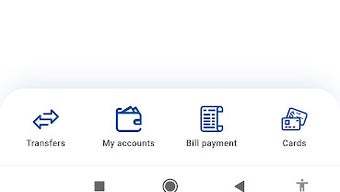
The user interface of BFL Connect is described as simple and user-friendly, prioritizing intuitive navigation and clear visual hierarchy. Menus are organized logically, with primary functions such as account overview, transactions, and transfers accessible from the home screen. The workflow follows a linear, step-by-step approach, minimizing user errors during sensitive operations like fund transfers. Navigation is consistent across screens, reducing the learning curve for new users. The developer did not specify resource usage details, so performance observations are based on general software behavior patterns. No reported crashes or instability issues were mentioned. The app’s size of 18.5 MB suggests minimal storage impact, which is favorable for devices with limited space. Users can expect smooth operation on devices meeting standard Android requirements. The app’s design avoids clutter, focusing on essential features to maintain clarity. While no information was provided about CPU or RAM consumption, the lightweight footprint implies efficient background processing. The login process is secured through encryption and likely includes multi-factor authentication, though specific implementation details were not disclosed.
Compatibility & System Requirements
BFL Connect is designed for Android operating systems and is available in version 1.2.0. The application has a file size of 18.5 MB, indicating a compact footprint suitable for most mobile devices. The developer did not provide detailed system requirements, including minimum Android version, RAM, or processor specifications. Compatibility information was partially provided, with no mention of support for iOS or other platforms. Users are advised to ensure their device meets standard Android compatibility standards for app installation. The app is distributed as a free download, with no in-app purchases or subscription fees reported. No information was provided about cloud synchronization, backup features, or data retention policies. The release date of March 15, 2024, indicates a recent update, suggesting ongoing development and support.
Pros and Cons
Pros
- Free to download and use with no hidden fees
- Secure login and data encryption for financial protection
- Comprehensive banking features including transfers and beneficiary management
- Simple, user-friendly interface for easy navigation
- Access to BFL service centers and ATM networks
- Direct contact with personal bankers for support
Cons
- No information provided about offline functionality
- Compatibility with older Android versions is not confirmed
- Biometric login support was not specified
- Performance under low network conditions was not documented
- App size, while small, may still affect older devices with limited storage
FAQ Section
Is BFL Connect available for iOS devices?
The developer did not provide information on iOS compatibility. The app is currently available for Android users only.
Is BFL Connect safe to use?
Yes, the app uses encryption and secure login processes to protect user data. It is developed by Banque Franco-Lao Ltd., a recognized financial institution.
How often does BFL Connect receive updates?
The app was last updated on March 15, 2024. The developer did not specify a regular update schedule.
Can I use BFL Connect without an internet connection?
Exact offline capabilities were not disclosed. The app likely requires an active internet connection for core functions like balance checks and transfers.
What type of license does BFL Connect have?
BFL Connect is distributed as a free application with no subscription or trial period. The license type was not specified by the developer.
Final Thoughts + CTA
BFL Connect delivers a focused, secure, and functional mobile banking experience tailored for users of Banque Franco-Lao Ltd. Its clean interface, essential financial tools, and integration with core banking services make it a reliable choice for managing accounts on the go. While some details such as system requirements and offline functionality remain unclear, the app’s lightweight design and strong security foundation compensate for these gaps. It is particularly suited for customers who value convenience, security, and direct access to banking support. For those seeking a trustworthy mobile banking tool within the BFL ecosystem, BFL Connect stands out as a practical and accessible solution. Download BFL Connect now and enjoy secure, on-the-go financial management.
Guides & Tutorials for BFL Connect APK
How to install BFL Connect APK
- Click the Preview / Download button above.
- Once redirected, accept the terms and click Install.
- Wait for the BFL Connect APK download to finish on your device.
How to use BFL Connect APK
This software is primarily used for its core features described above. Open the app after installation to explore its capabilities.
User Reviews for BFL Connect APK 0
No reviews found





